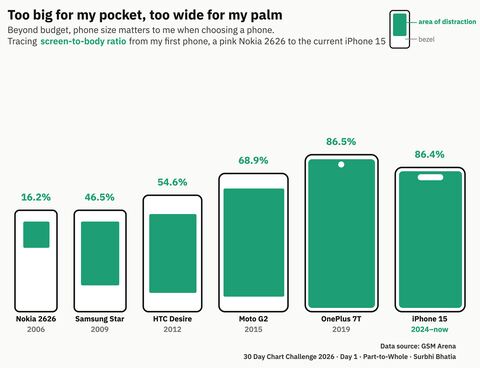
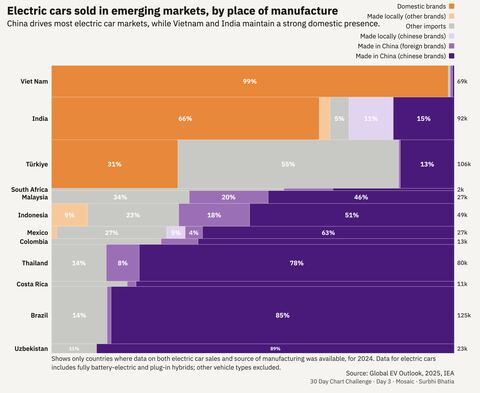
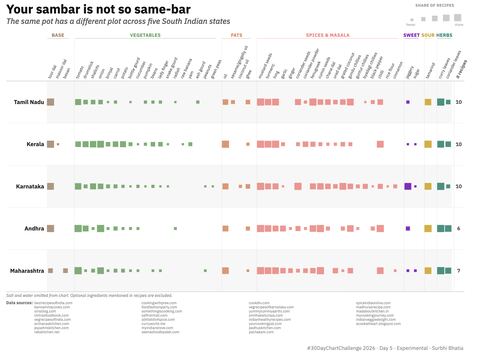
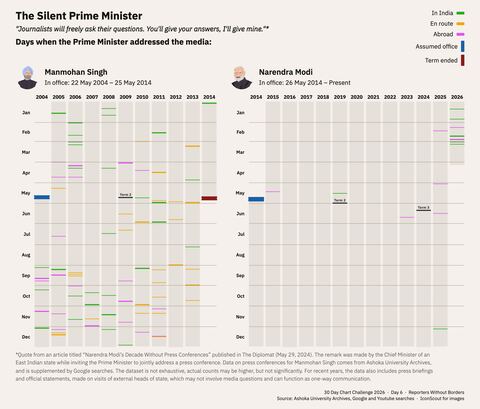
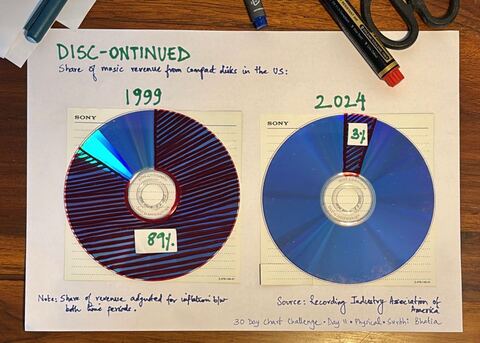
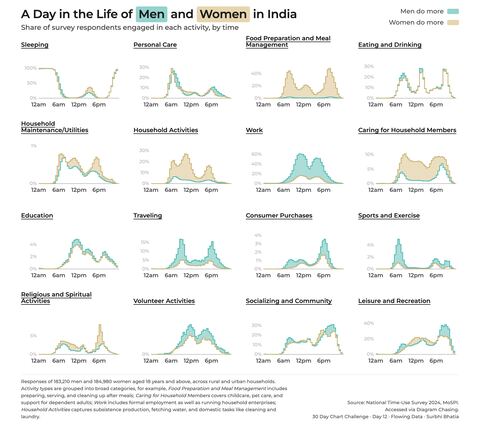
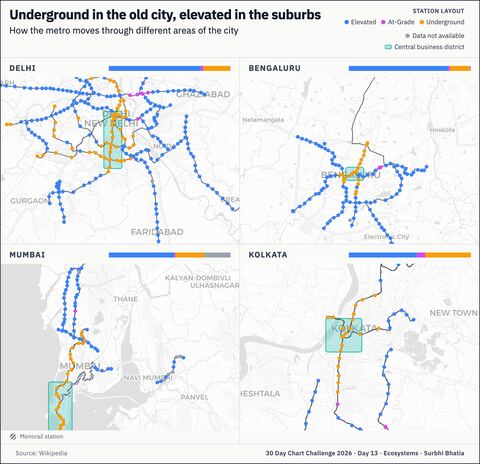
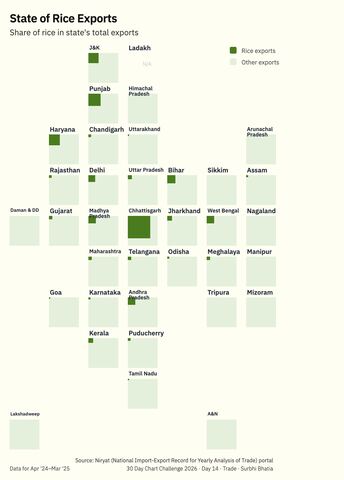
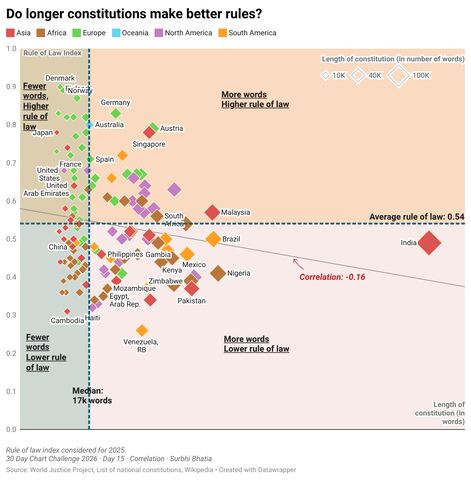
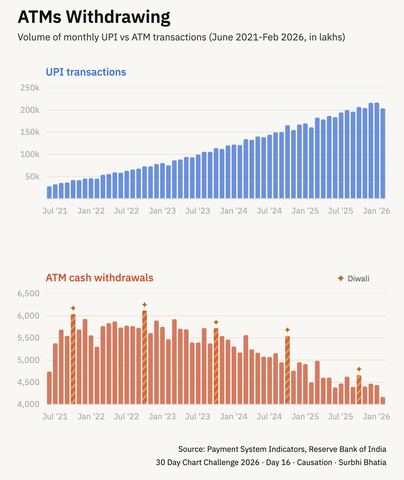
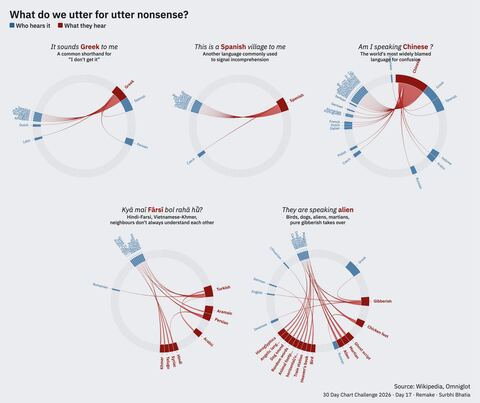
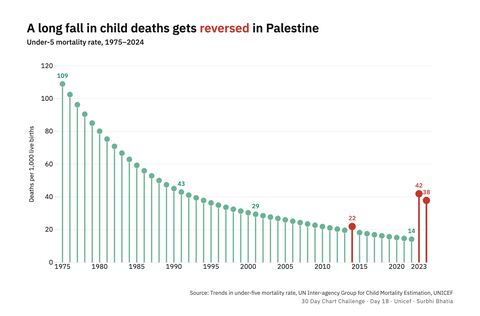
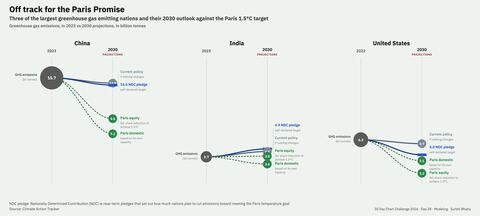
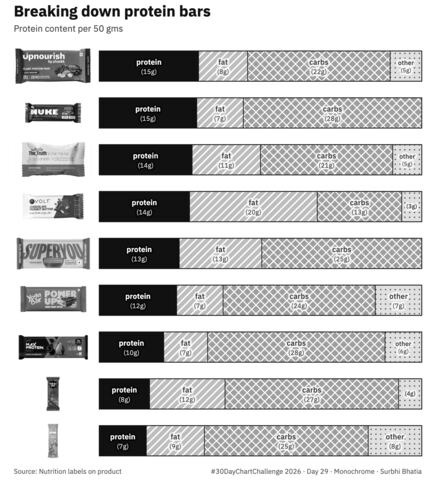
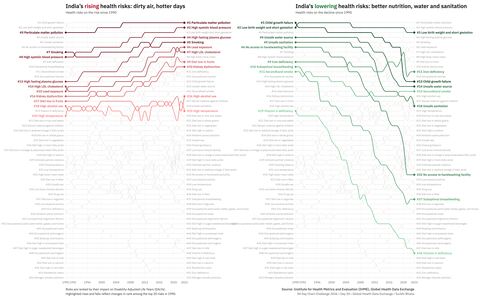
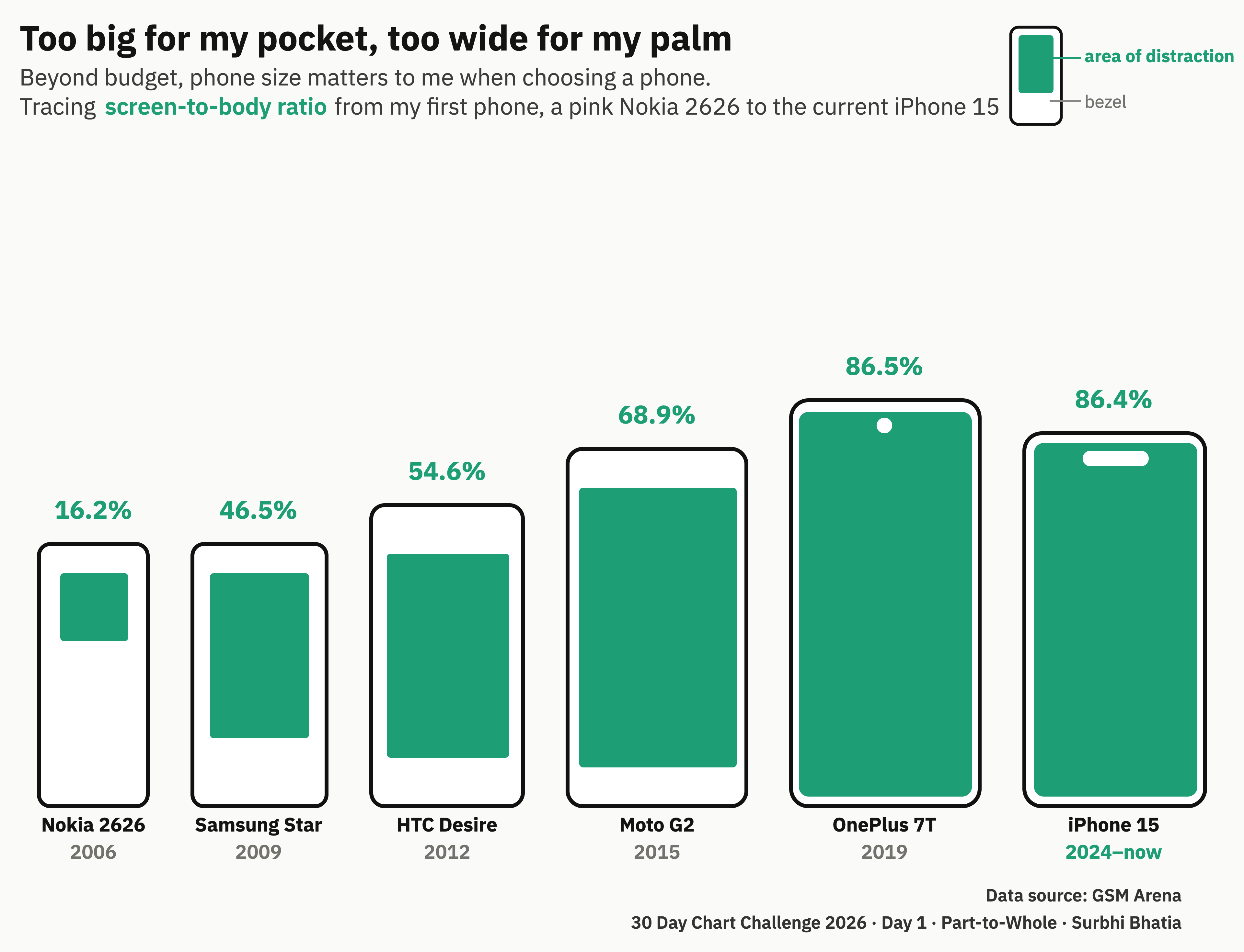
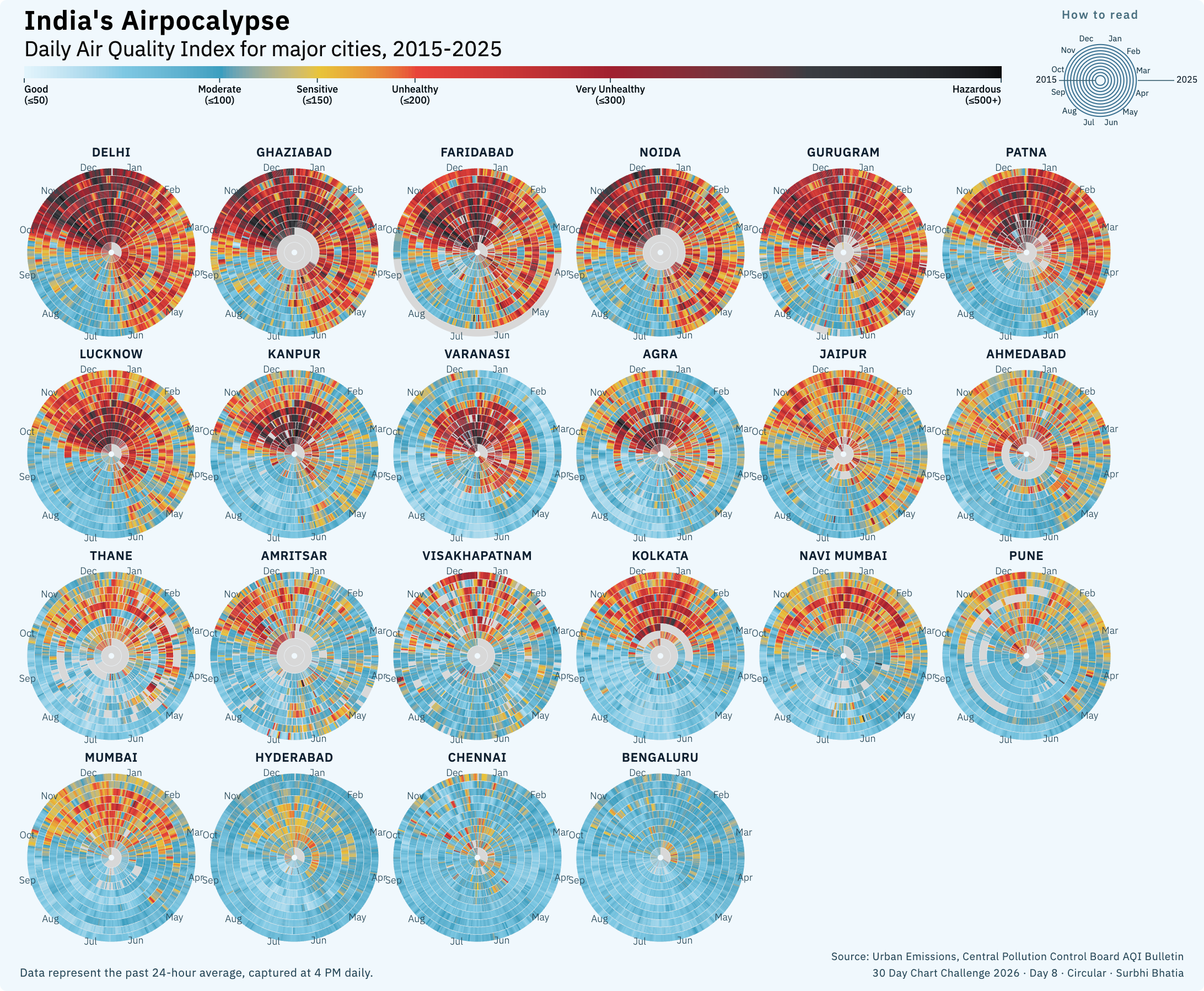
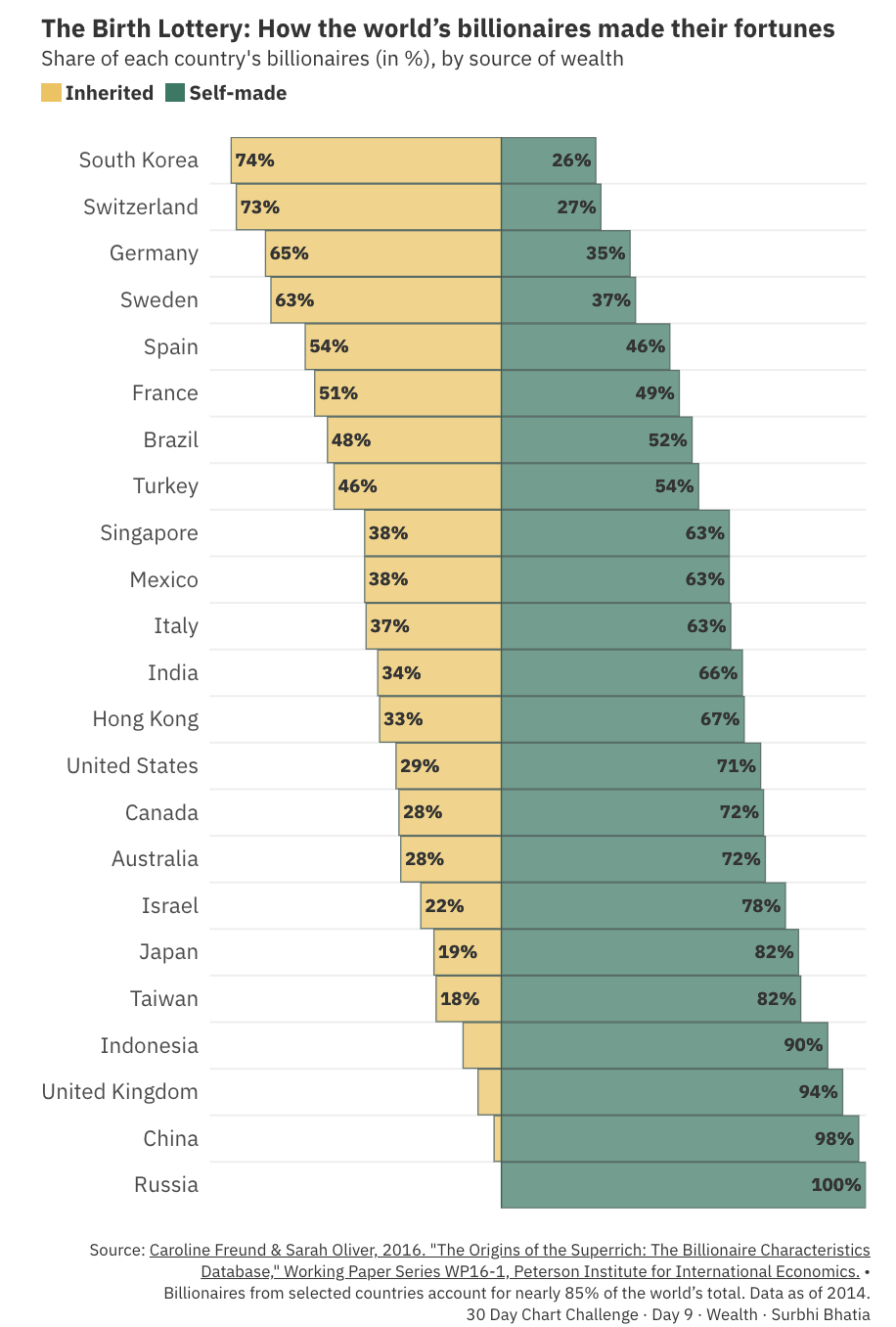
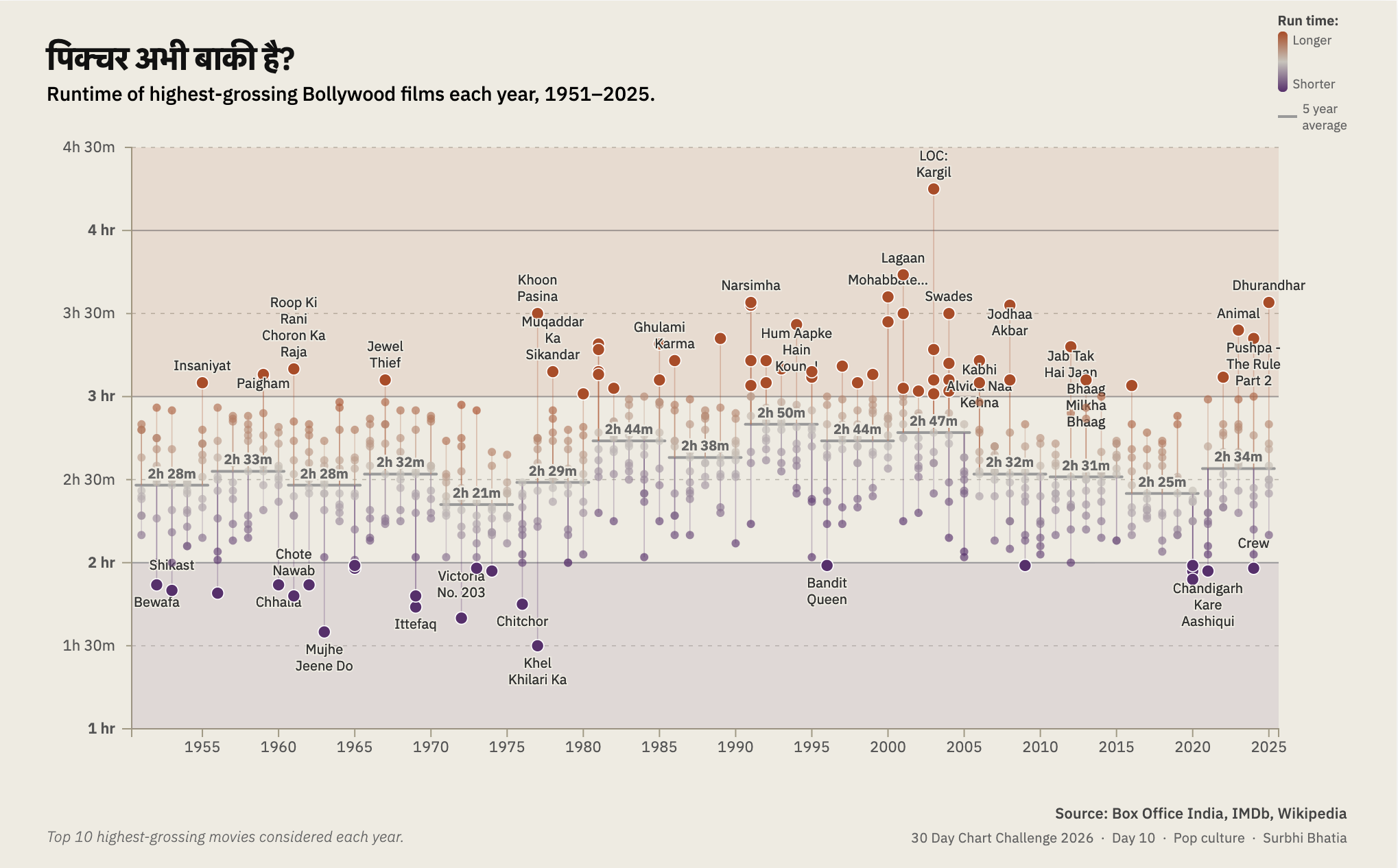
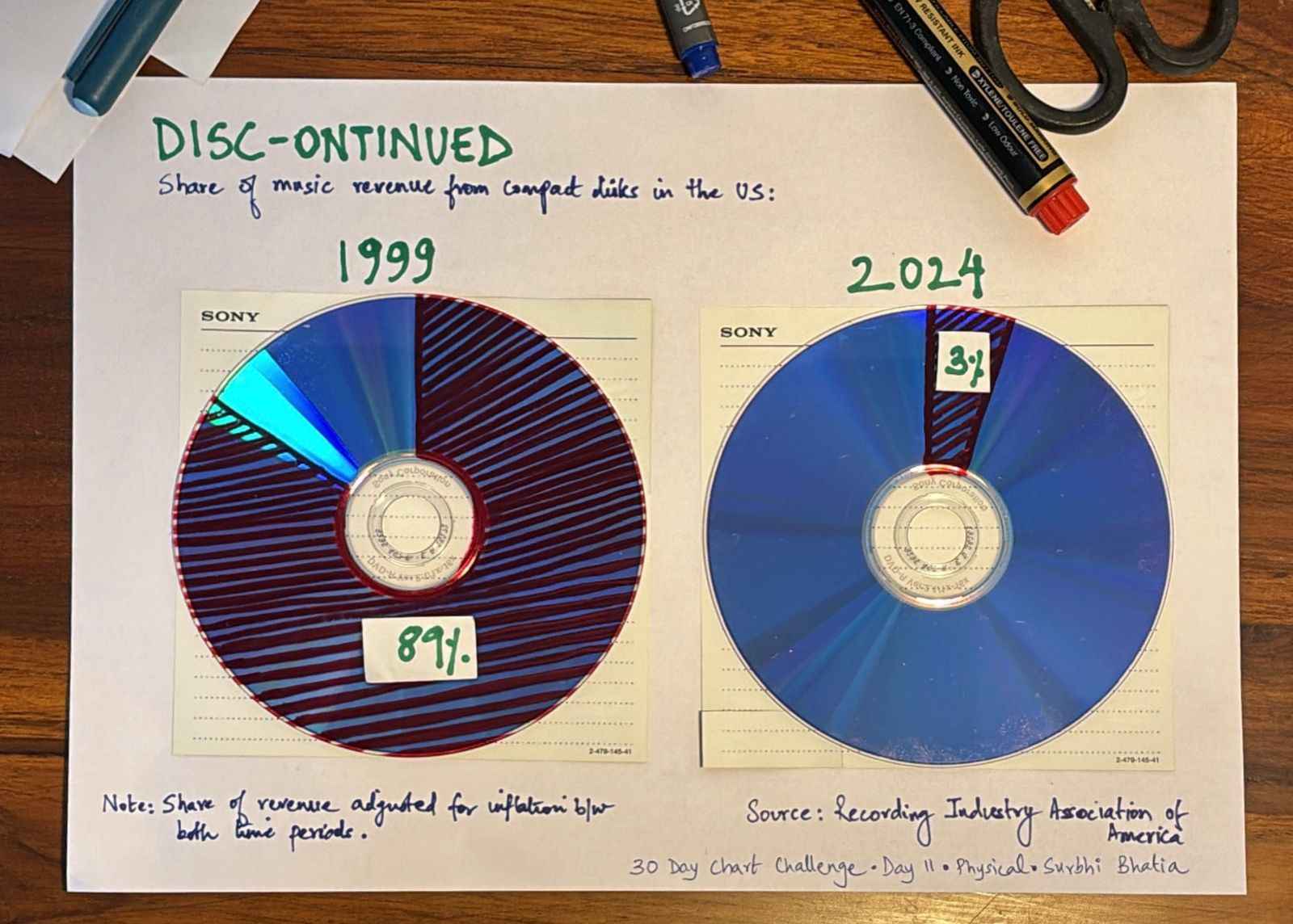
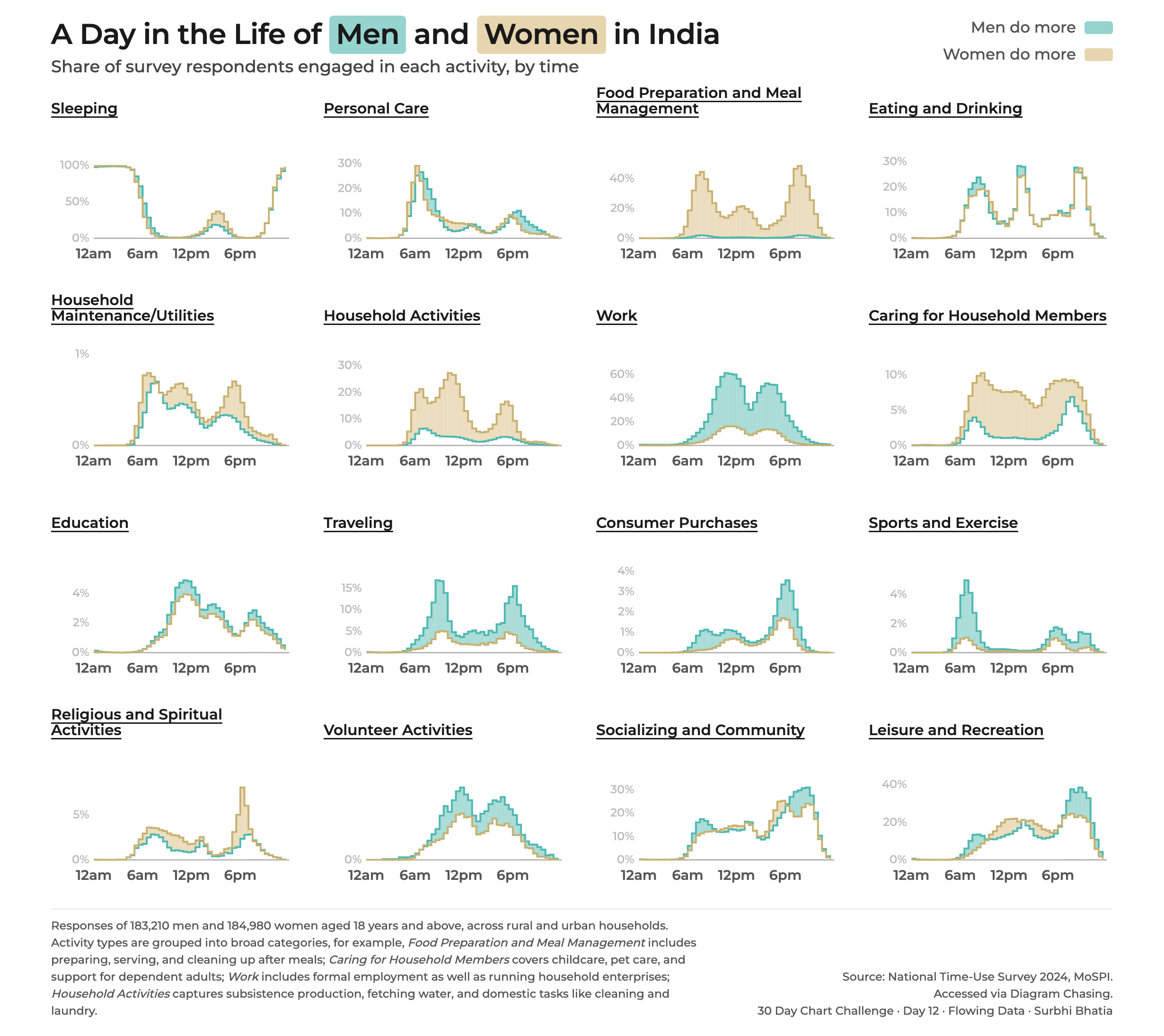
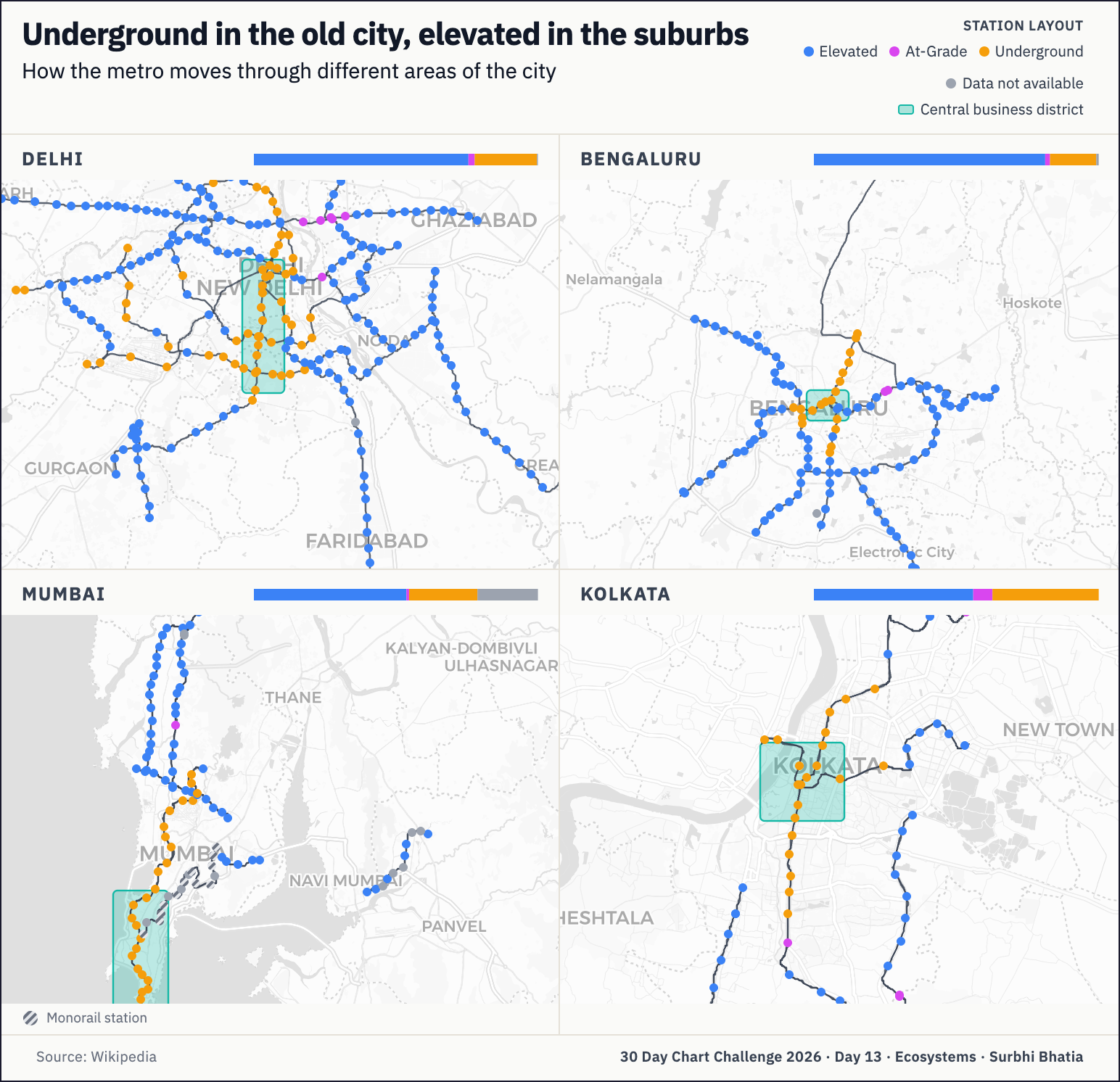
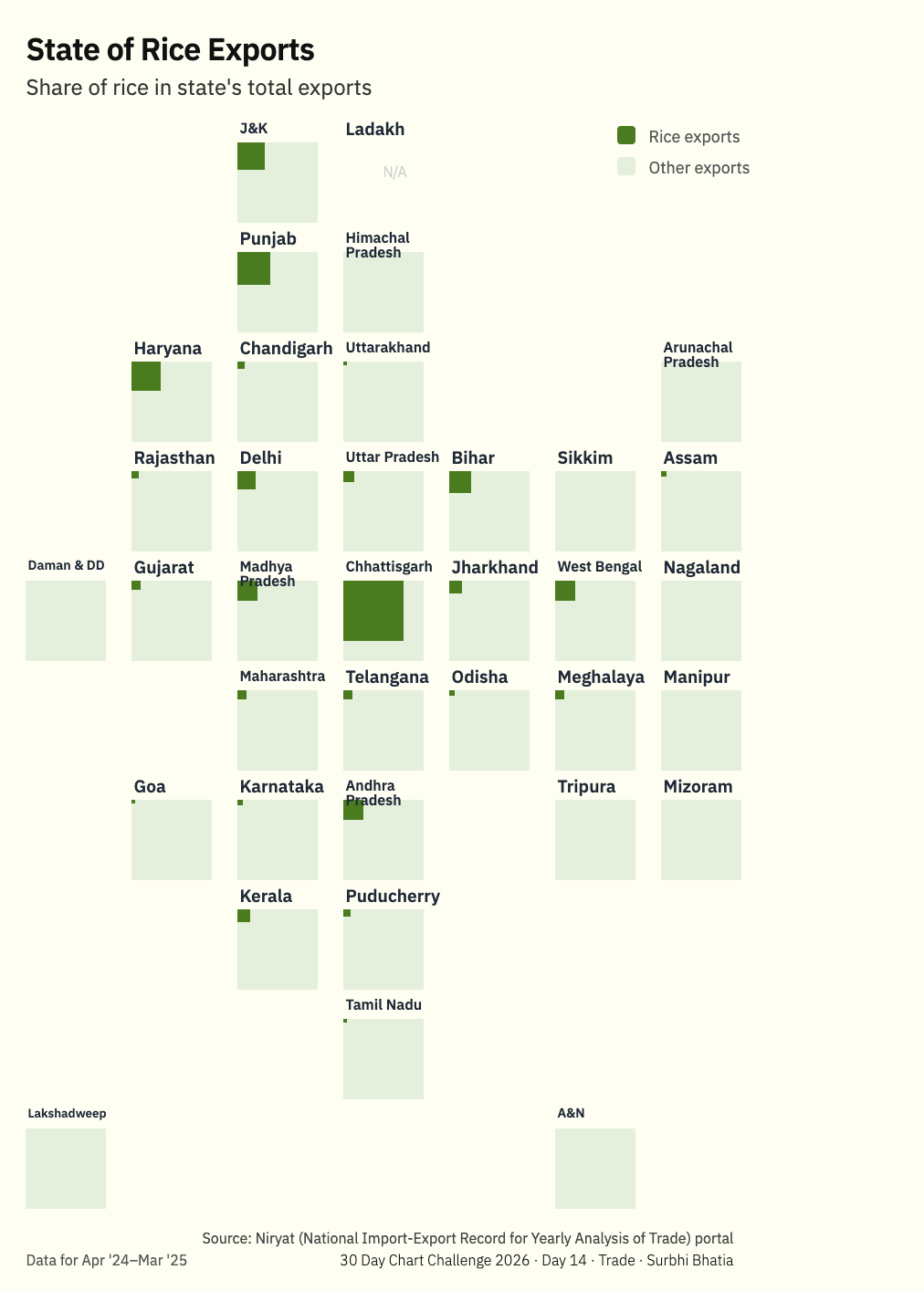
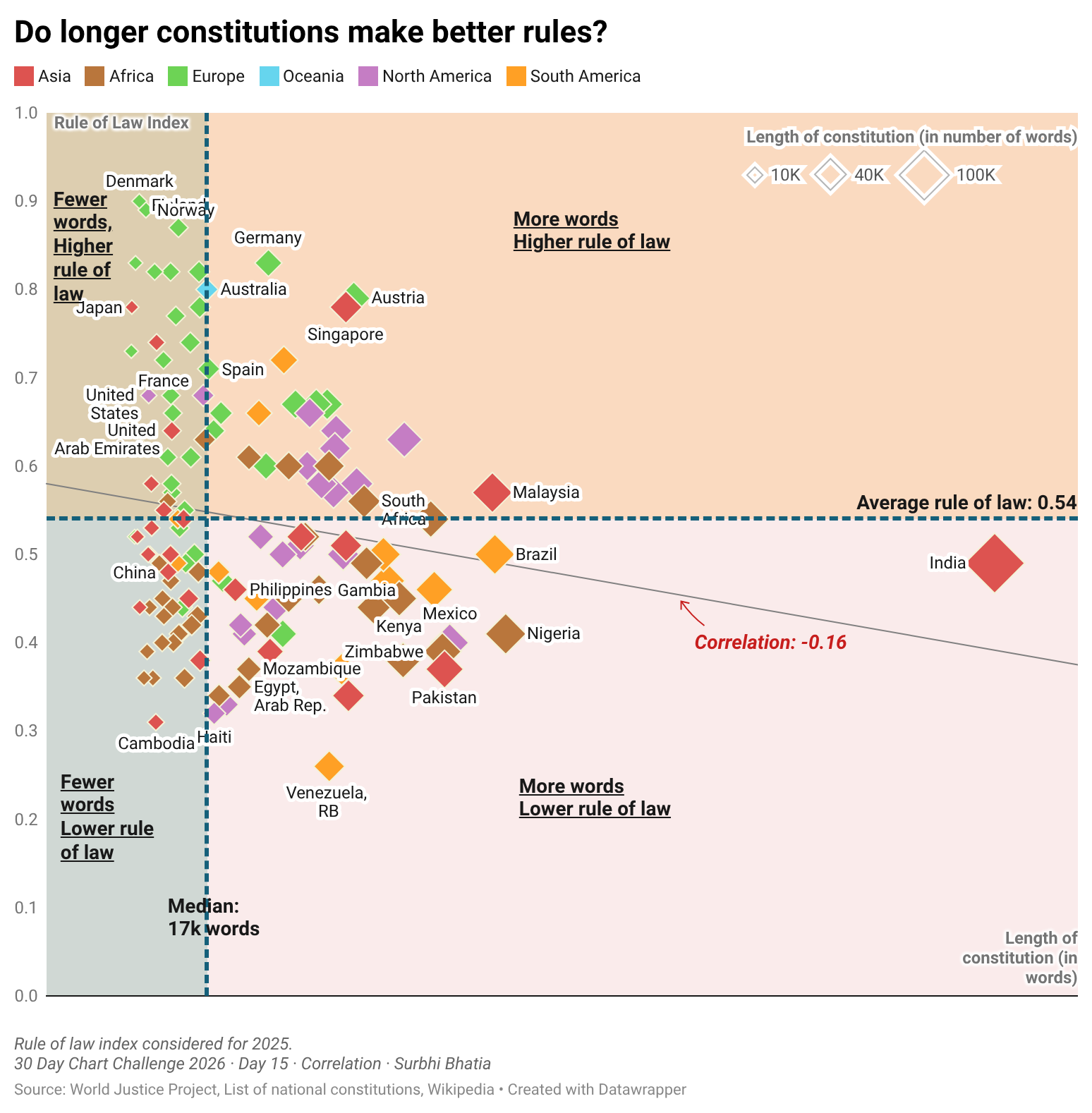
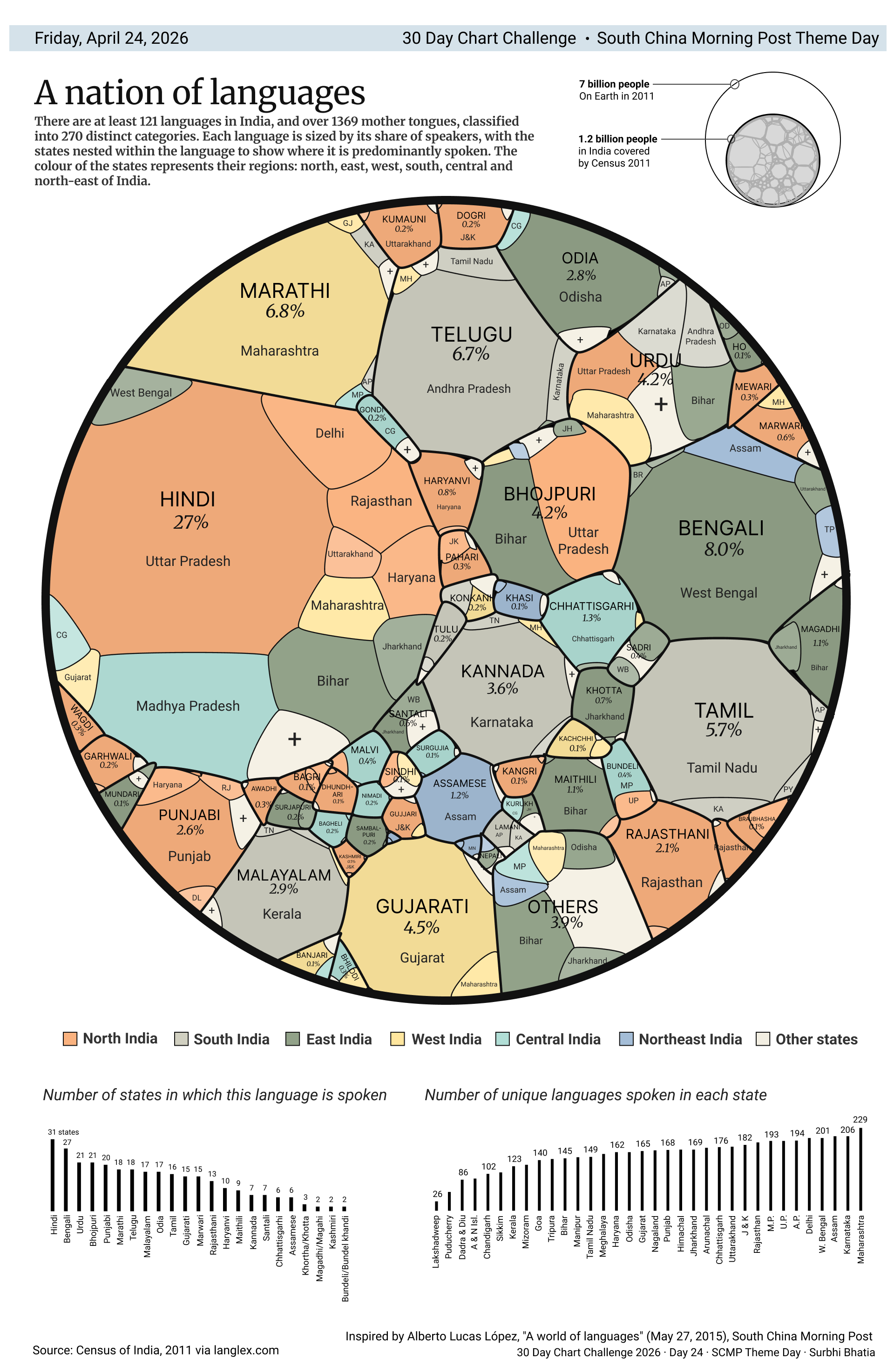
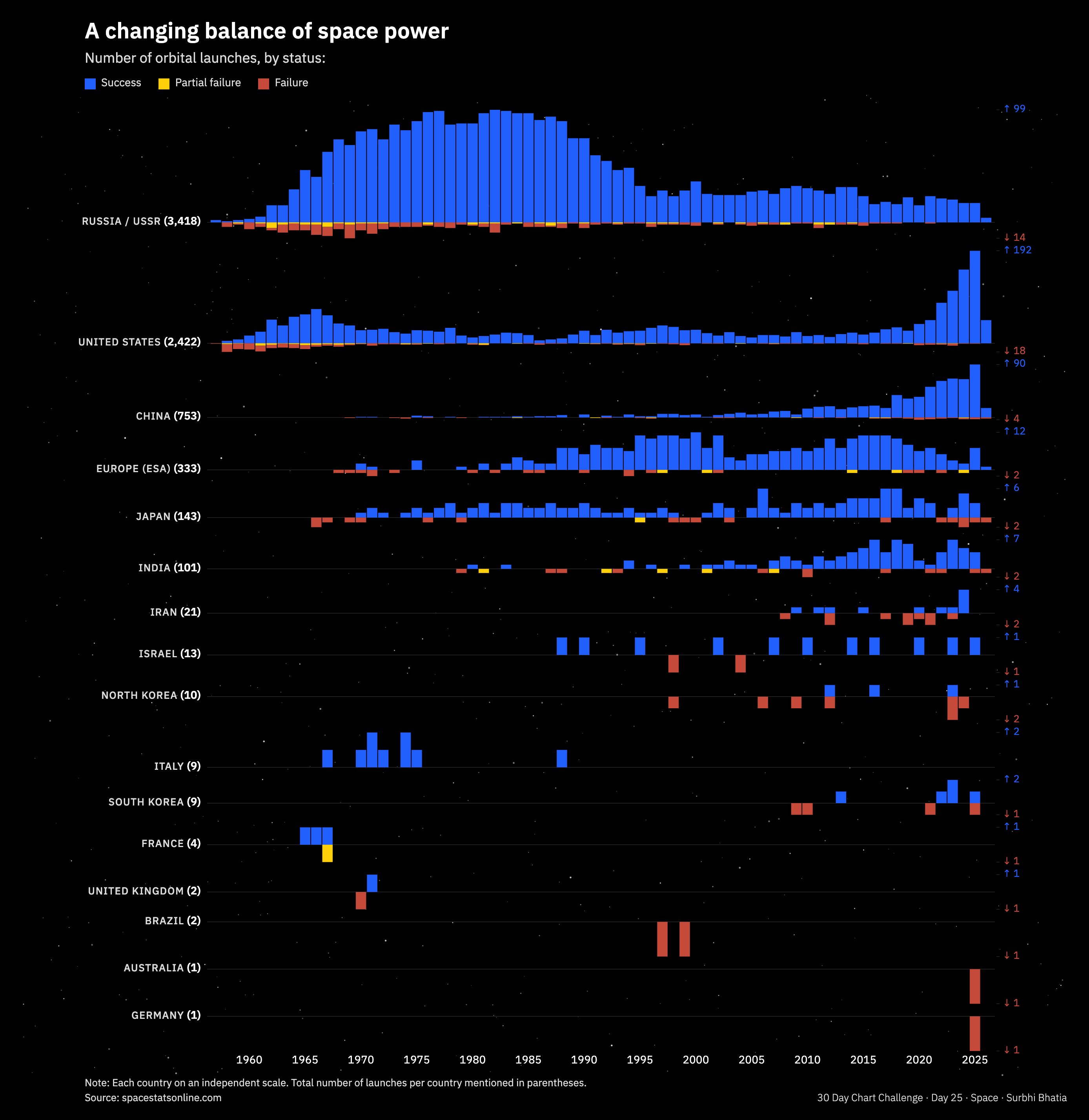
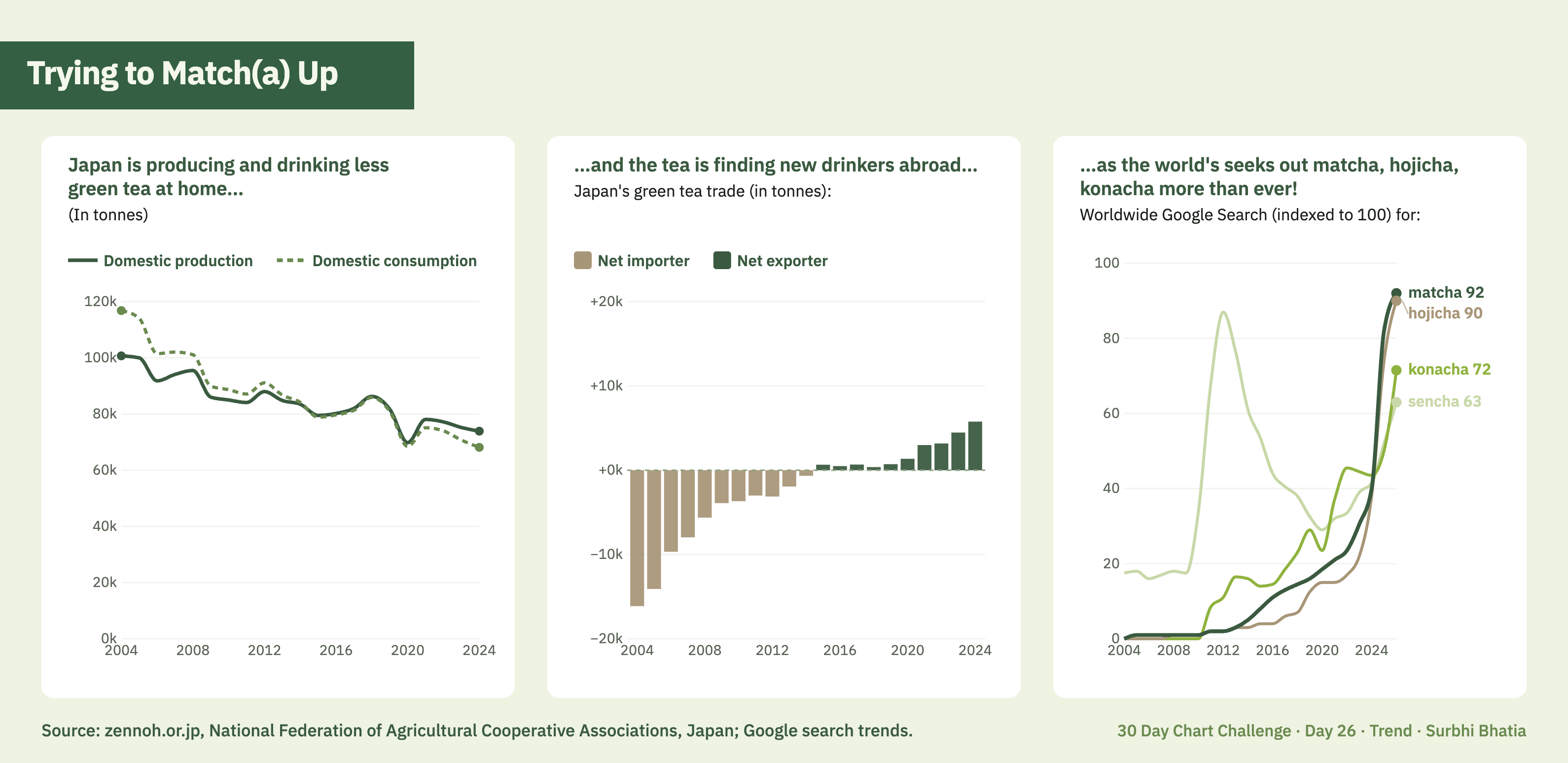
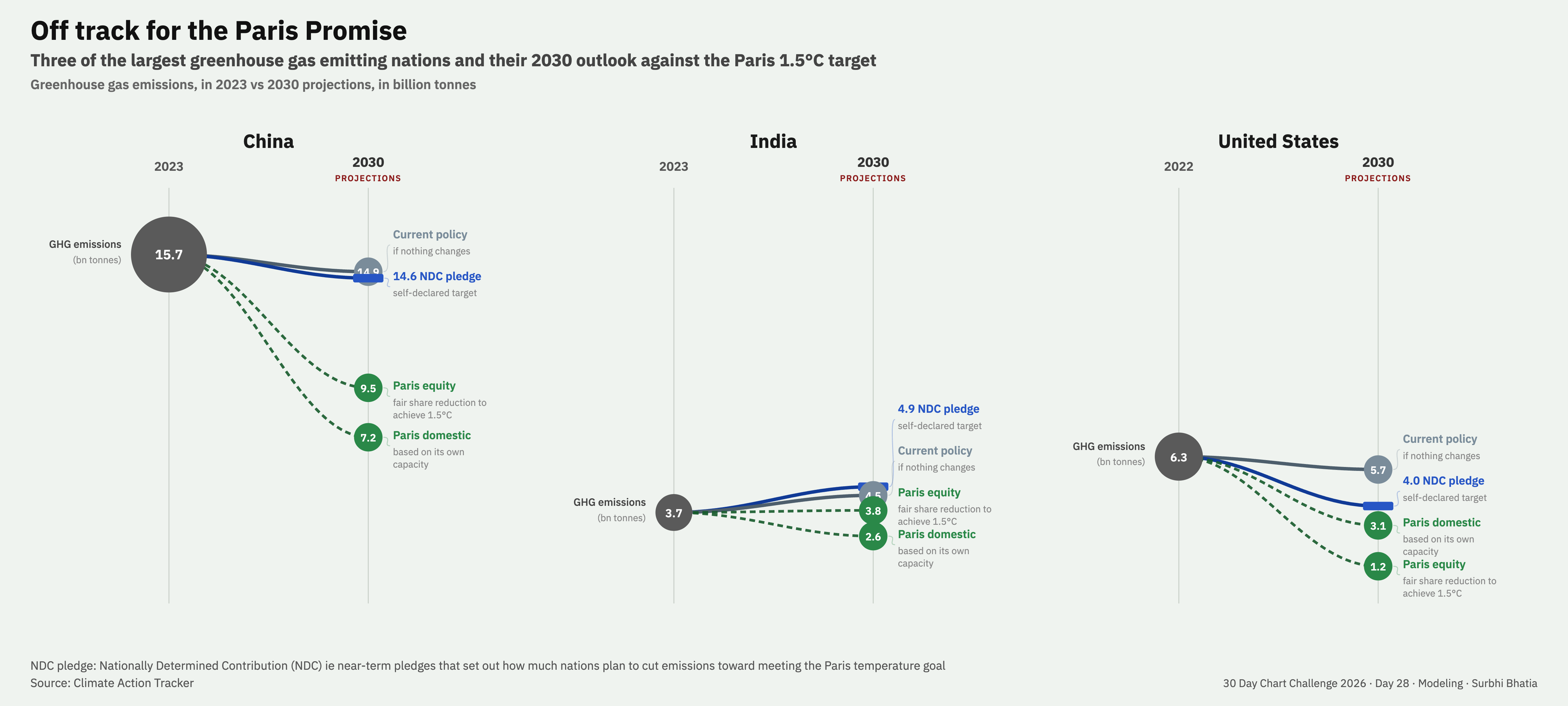
If you're wondering where to begin, here's how I approached it:
 A forager out in the wild to hunt for data
There are at least two ways to approach making a chart where all you have is a one-word prompt. You can either start with a dataset, and find something to plot, like how #TidyTuesday works. Or start with a question, and go looking for the data to answer it.
Early in my career I was the data-first type. I used to think if there's no data, there's no story. This has changed with years of experience as a data journalist. Without realising it, I had built a personal directory of sources: where to look, what to trust, how to do back-of-the-envelope math to get from data to insight.
Starting with a question came naturally to me during this challenge. Between open portals, APIs, scraping, easy OCRs and simple downloads, access to data was the easy part. The data was almost always out there if I could frame what I was looking for. The thirty questions I pursued are in an open workbook towards the end of this page.
An athlete faithful to one more rep, one more lap
Every day, I was back at the same start line, to run the same sequence:
Question → Data → Analysis → Insight → Chart Type → Tool → Design → Annotation
Like any new workout or meditation routine, the first few days are rough, but slowly the mornings stop feeling hard. It built stamina, and gave me the appetite to repeat the entire process end to end, day after day.
But this is not the only way. For some, the entry point is data:
Data → Question → Tool → Analysis → Insight → Chart Type → Design → Annotation
For others, it could be the tool. People are loyal to the tools they spent years learning. The Tableau community sticks by it. Datawrapper devotees stick to it. There is wisdom in working within the grammar of the tools you know best:
Tool → Data → Analysis → Chart → Insight → Annotation
The sequence looks neat on paper, but in practice it rarely holds a linear shape. For example, some days the prompt was a chart type I worked backwards from.
A tailor custom-stitching for the right fit
It is very tempting, once you have some data, to want more data: another decade, another city, another source, another scrape.
A daily challenge teaches you to work with the fabric on the table. You can cut the same fabric to make a handkerchief, a scarf, or join many pieces to sew a skirt. In some instances I chose to stitch just 10 data points even if there were a lot more available. In others, I chose to waste nothing and made a chart with all 76k data points. The challenge was less about the amount of fabric and more about the cut.
Nothing is wasted when you tailor this way. Any cloth left behind comes together in another form. A dataset kept aside fit a later prompt. A chart type abandoned got thrifted into a second life. The offcuts came together as patchwork all the time.
A few well-chosen rules can carry the project a long way. Shri Khalpada locked in the fonts, formats, colours, tools, to reduce the number of micro-decisions. Georgios Karamanis defined the data universe entirely around Uppsala's transport data and worked within those bounds to chisel out the charts. Constraints make their work stand out in the same way as a fence that helps separate a garden from a field.
A traffic controller guiding the reader's attention
An editor I worked with used to say one chart is not the story. But they also said that if a chart is screenshotted and shared as a standalone image on WhatsApp, it should be able to explain the story. So I was very conscious that every chart had an answer to the one and only question of life: "What's the point???"
A lot of my time was spent on titles, annotations, stripping back anything that didn't earn its place on the canvas. It was like traffic-managing attention, hierarchy, and inference. The green signals have to be very clear for a reader to reach the point.
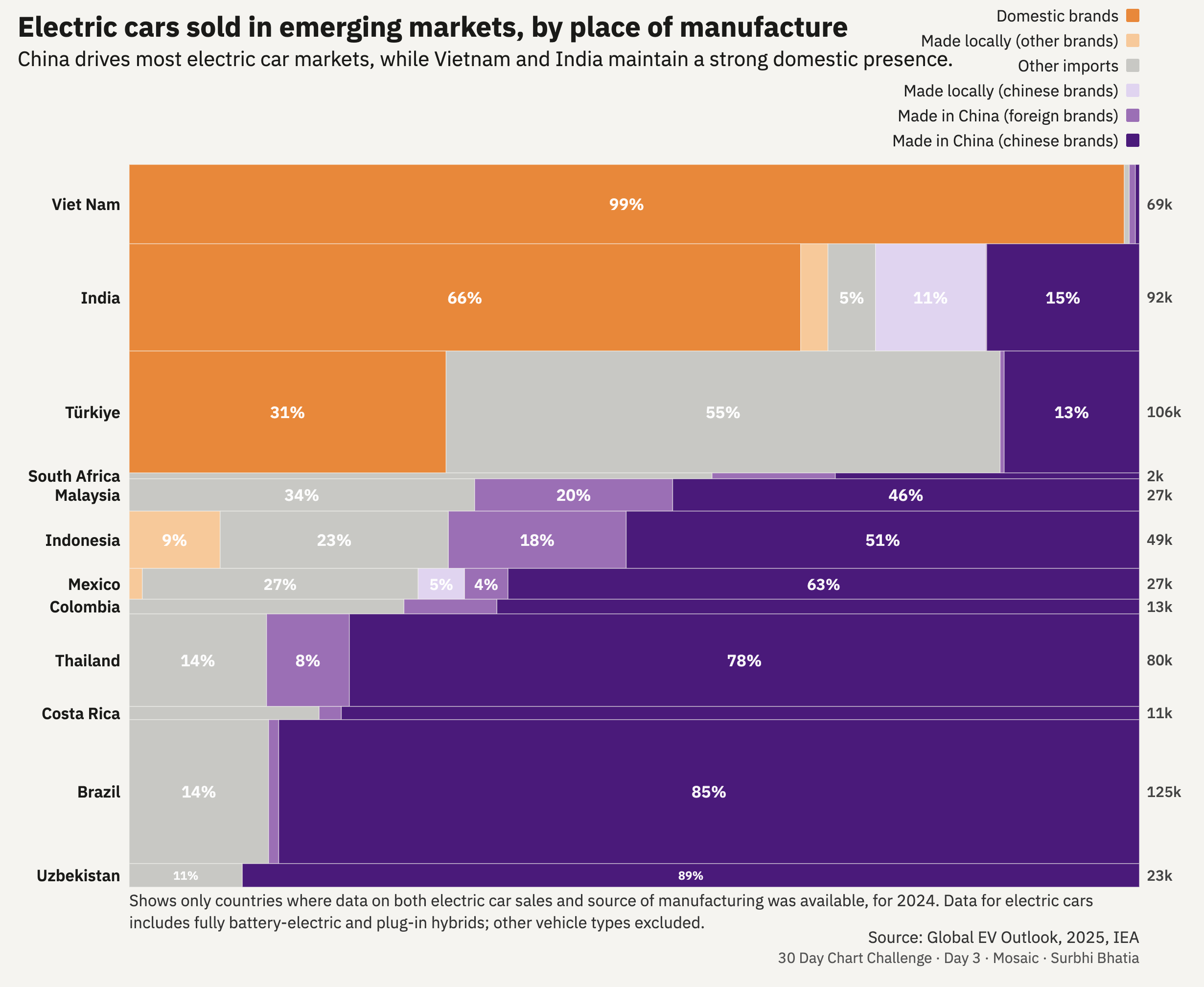
Some charts are demanding by design, like a Marimekko chart, which asks for patience and a degree of chart literacy. A chart can demand effort, but the reader should never feel punished for trying to engage.
And now, on to the charts.